

At checkout, you can choose a Pickup Point instead of your home or office for delivery. A Pickup Point is a staffed location, such as a local shop.
When your order arrives, visit the Pickup Point during opening hours to collect it. A staff member will verify your ID and order details. You’ll then sign for the package before it’s handed over.
The name of this service may differ based on the carrier. Australia Post uses Parcel Lockers or the Local Post Office if it’s the physical building itself
The Pickup Point service isn’t available for all products.

How do I select a Pickup Point?
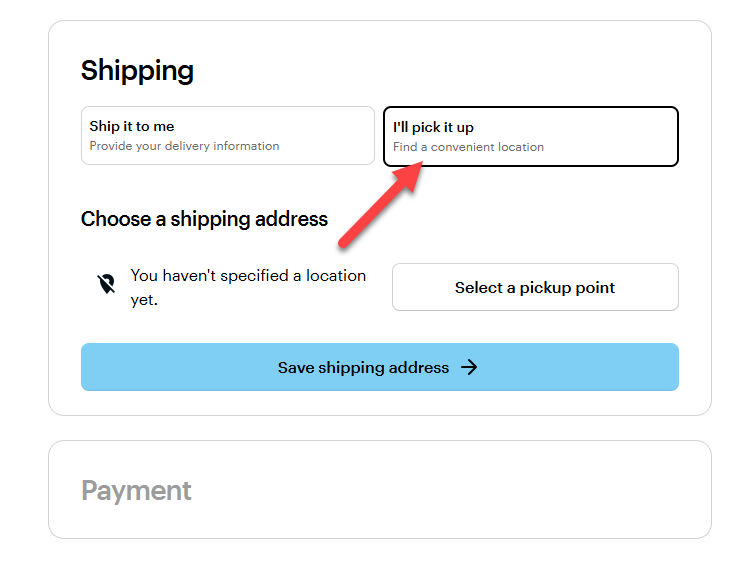
Select ‘I'll pick it up’
You’ll find the Pickup Point tab on the Delivery page.
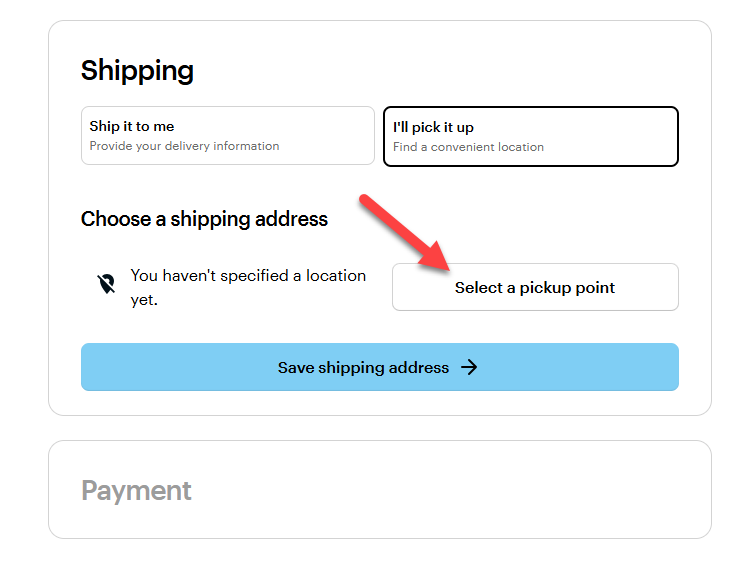
Select ‘Select a Pickup Point’
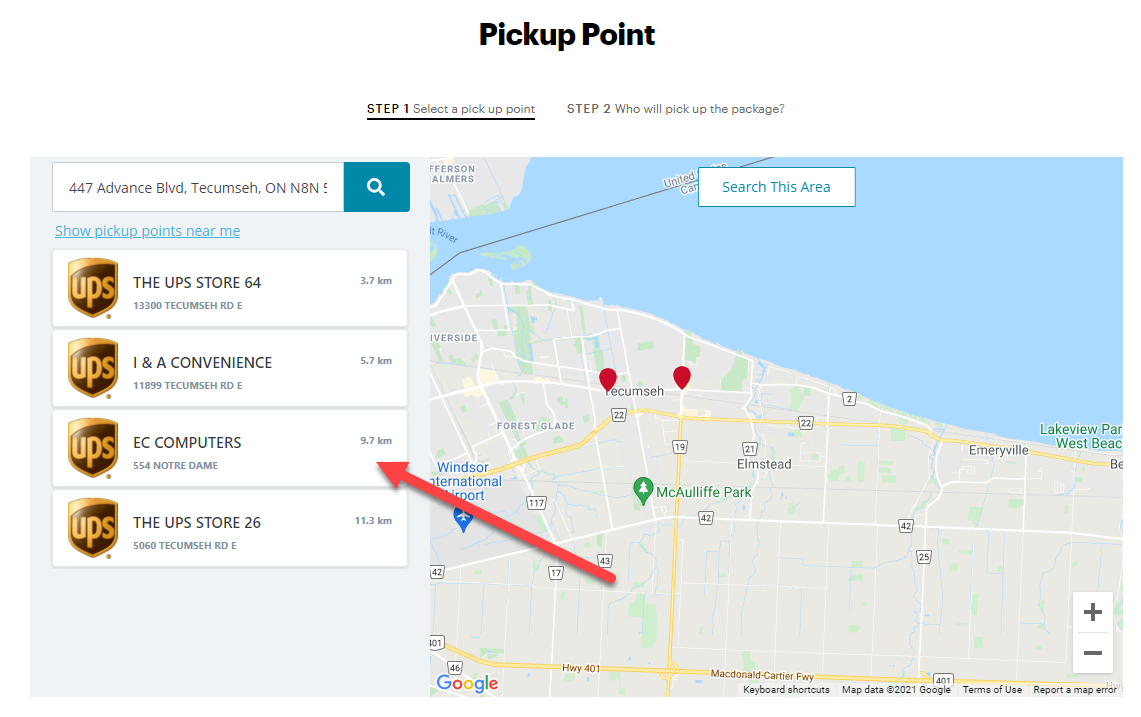
Search for a Pickup Point
Select the address box on the top left to enter the address. Select the magnifying glass icon to search for a Pickup Point. You can then select your preferred Pickup Point.
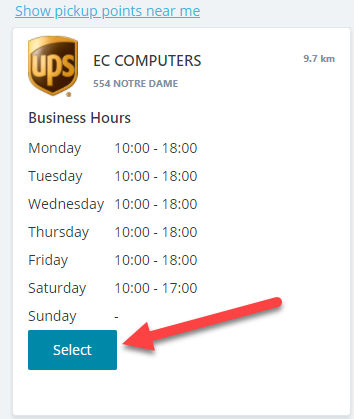
Select ‘Select’
Once you select a Pickup Point, you can check their opening hours. Select ‘Select’ to choose this Pickup Point
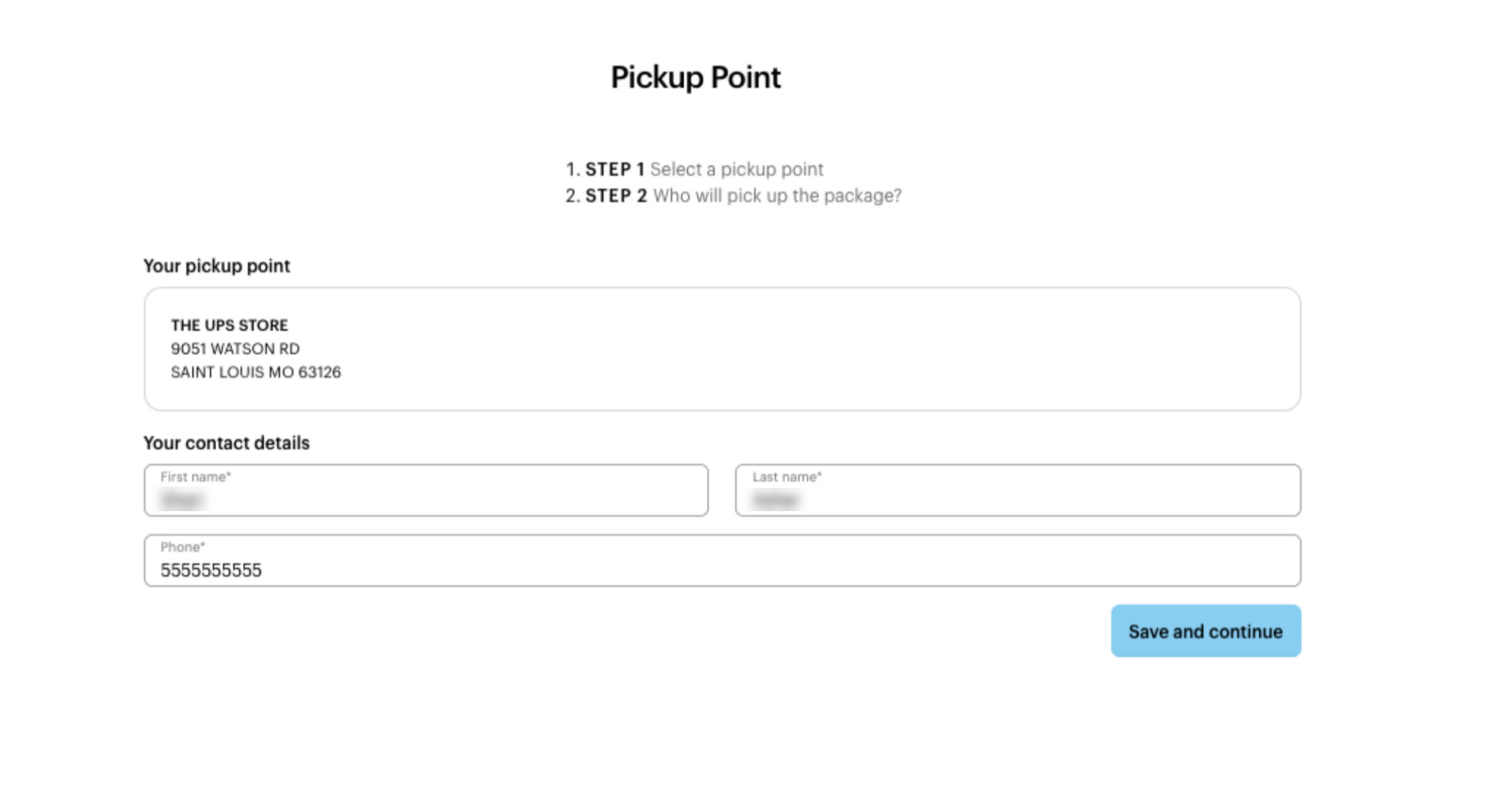
Enter details
Enter the details of the person that’ll pick up the package. You need to enter:
their first name
their last name
a phone number
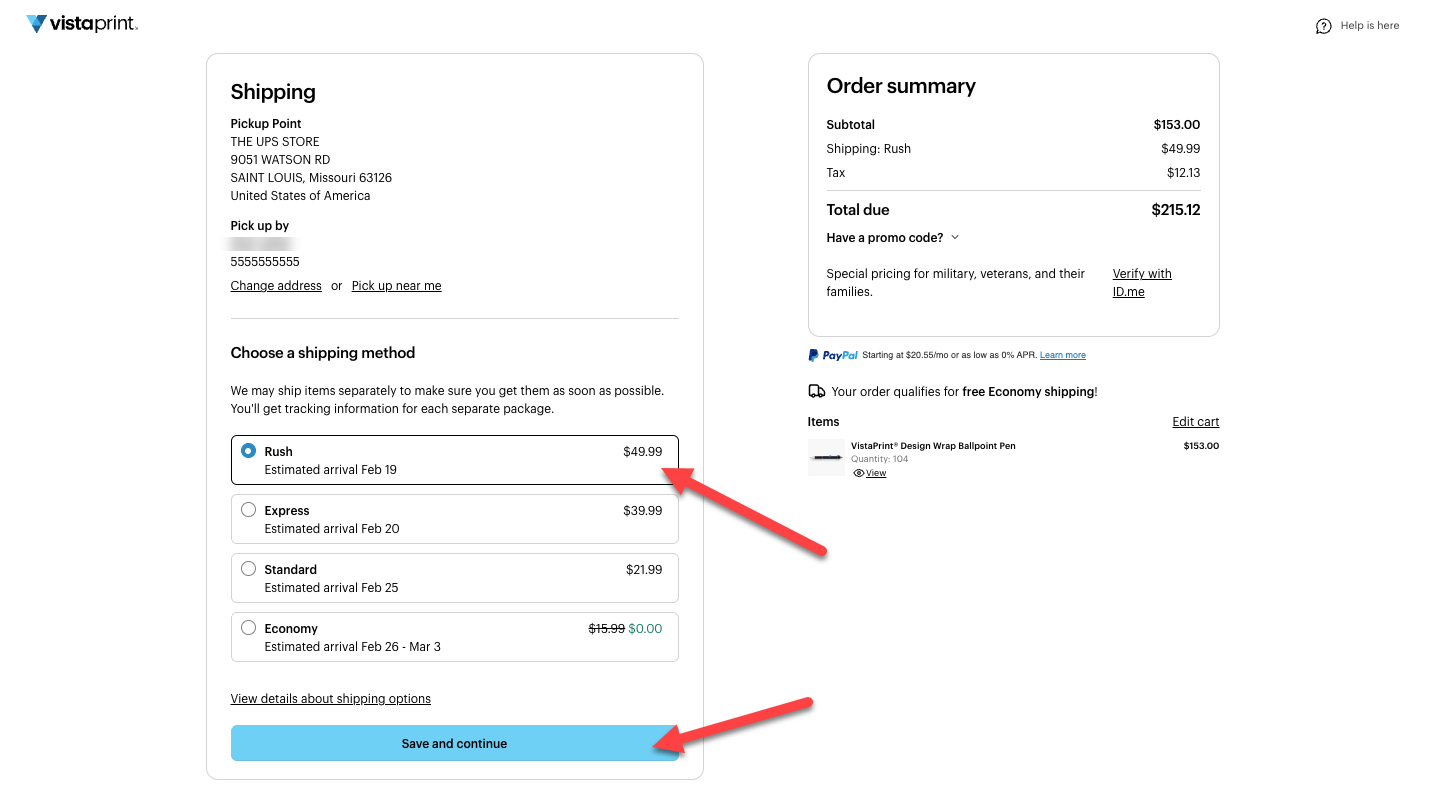
Review your Pickup Point details
Select delivery method
You can choose your preferred delivery method. Once you’re satisfied with your choices, select ‘Save and continue’ to go to the payment options for your order.
FAQs
Who holds the order at the Pickup Point?
The outlet stationed at the Pickup Point holds your package. You can collect your package during their opening hours. Parcel lockers in Australia are accessible 24 hours a day, 7 days a week
What do I need to collect my package?
To pick up your order, bring:
Your order confirmation email
A government-issued photo ID
Accepted forms of ID include:
Driver’s License
Passport
Professional photo ID
Military ID
You don’t need an ID when you want to collect your package from Parcel Lockers in Australia. This is because you already need to input your phone number and a pin code when you receive via text message from Australia Post. You do need your ID if collecting from the local Post Office.
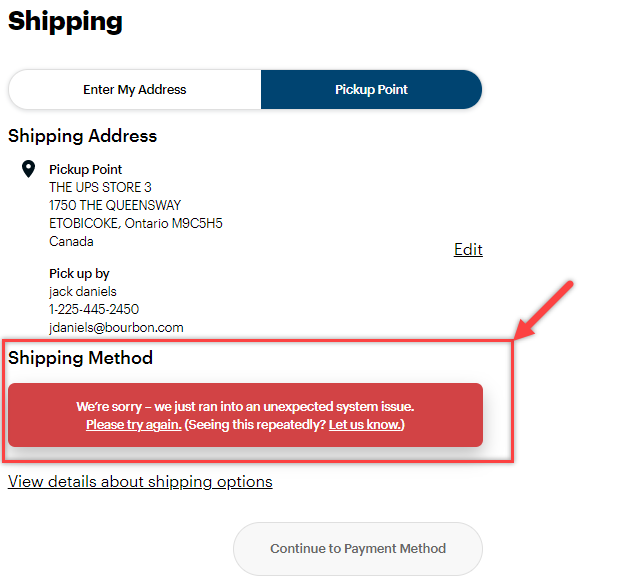
Why does the website show an error message when I want to complete a pickup order?
This is likely because you’re ordering a product for which we don’t offer the Pickup Point service. Please contact us to help you.
How will I know if my package is ready for pickup?
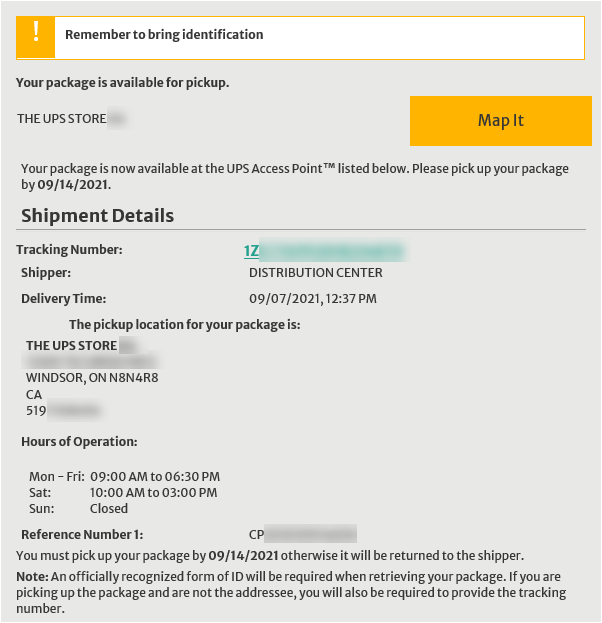
Once a package is ready for pickup, the carrier will send you a notification. This notification includes the details of the pickup location, as well as the due date for pickup.
What happens when I don’t pick up a package on time?
If you don’t pick up your package before the date specified in the notification, the Pickup Point will return your package.
Australian Pickup Points hold your package for 72 hours.
UPS holds your package at the access point for 5 to 7 working days. You’ll receive a notification once your package reaches the access point. After the 5 to 7 working days, UPS will return your package.
For UPS, the package will stay in the access point for 5–7 days. Once it reaches the access point, you’ll get a notification for your package. Then, the package will be sent back to the sender.
Do you deliver packages quicker to Pickup Points?
We don’t. Orders are still delivered based on the delivery speed selected at checkout.
Can I change the Pickup Point address after placing the order?
No. Once you place your order, you can’t change the Pickup Point address. Instead, you must cancel your order and place it again using the new address.
