Can I customise the starting month of my calendar?
Last updated 16 June 2026.
Guide
You can choose a custom starting month and year for wall and desk calendars when you design them. Poster and magnetic calendars are fixed formats that always start in January.

How to select a starting month

1

Select Edit calendar dates

Select the calendar icon next to the calendar in the design studio. 
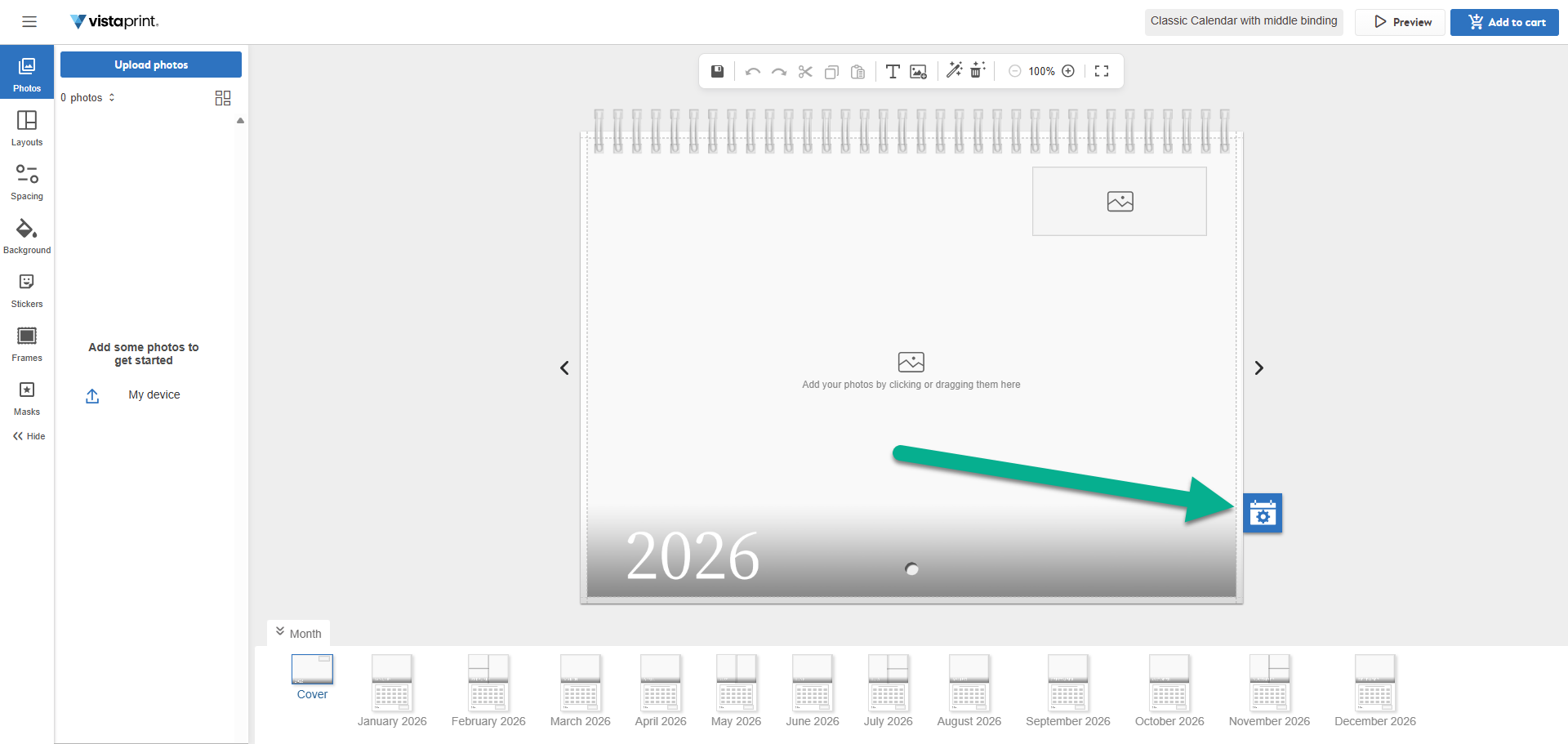
An arrow points to a blue calendar settings icon on a VistaPrint calendar project displaying the year 2026.
2

Go to the Start date tab

In the menu that opens, select the Start date tab. 
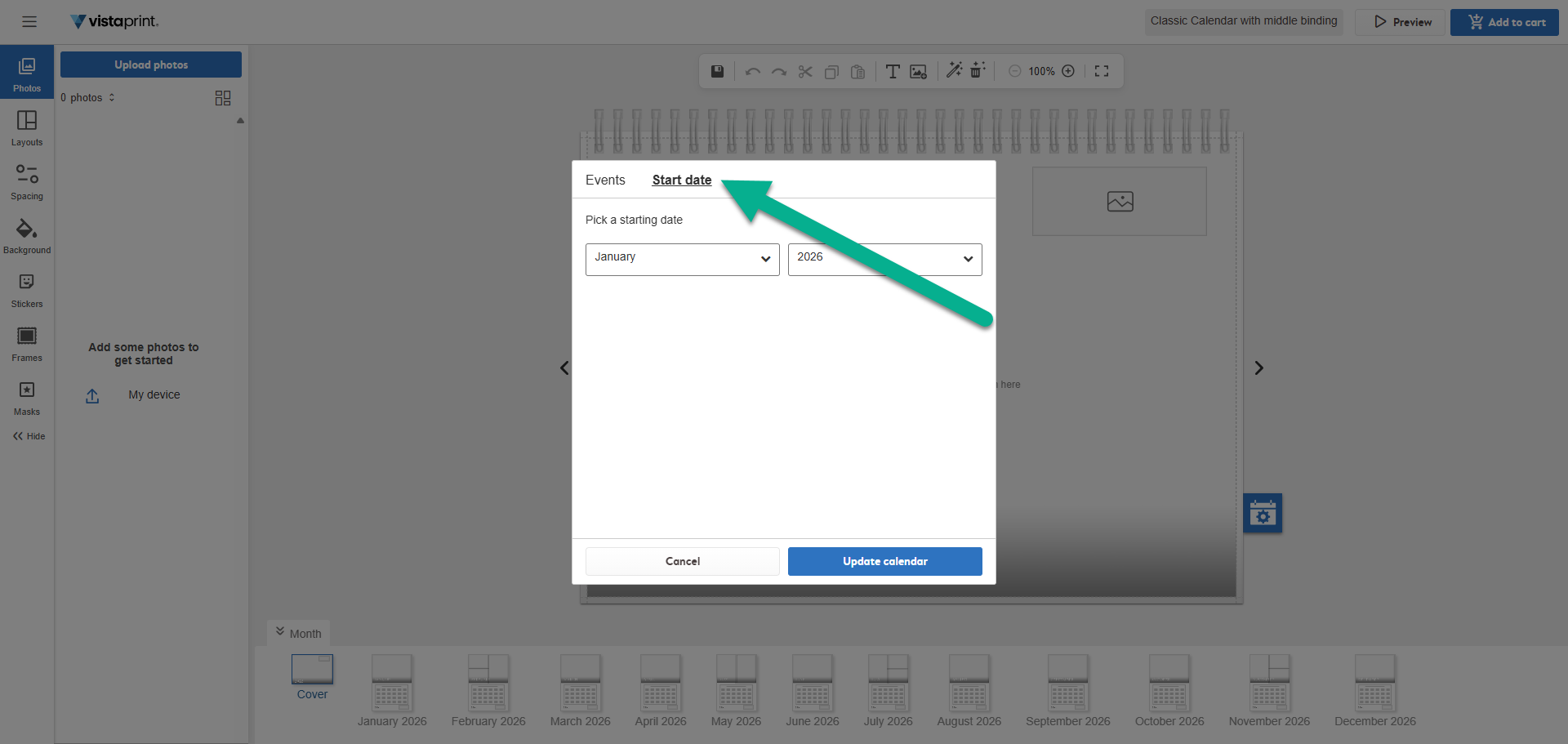
An arrow points to the Start date tab within a pop-up window on the VistaPrint design interface.
3

Pick your starting month and year

Use the drop-down menus to select the specific month you want your calendar to begin on.
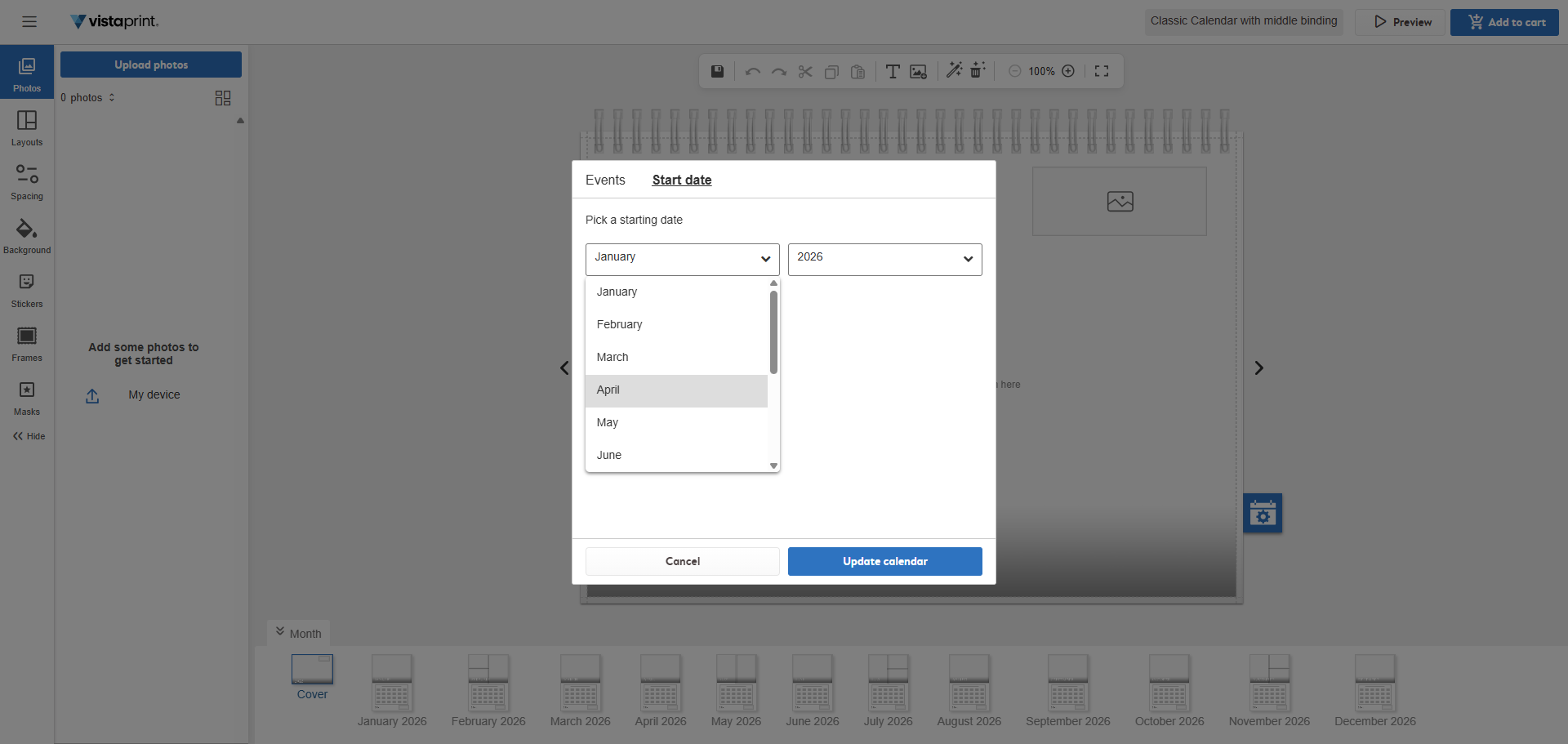
A drop-down menu within a pop-up window lists months from January to June to pick a starting date for a VistaPrint calendar.
4

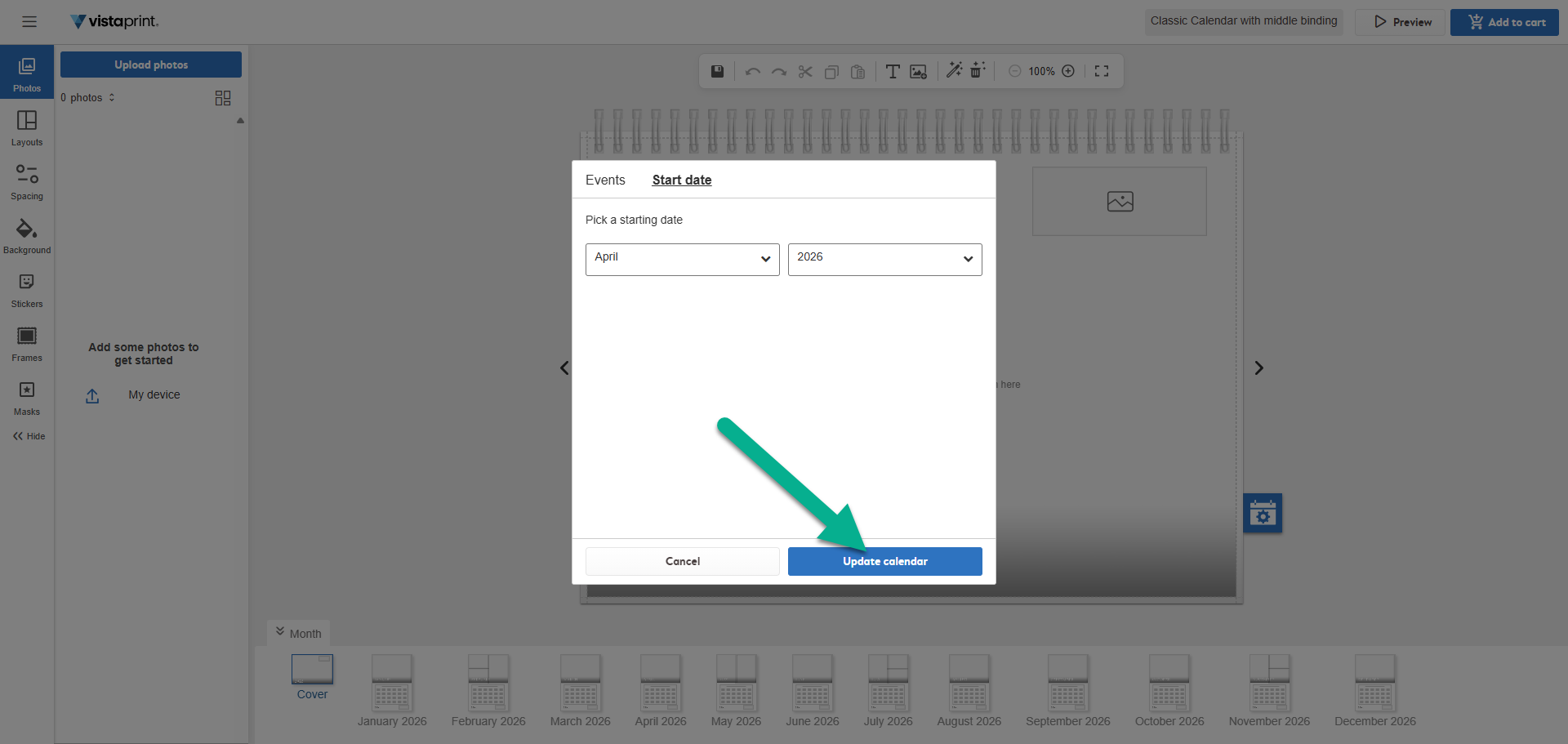
Select Update calendar

An arrow points to the Update calendar button at the bottom of a date selection pop-up window.

Your calendar will now start with the selected month. 
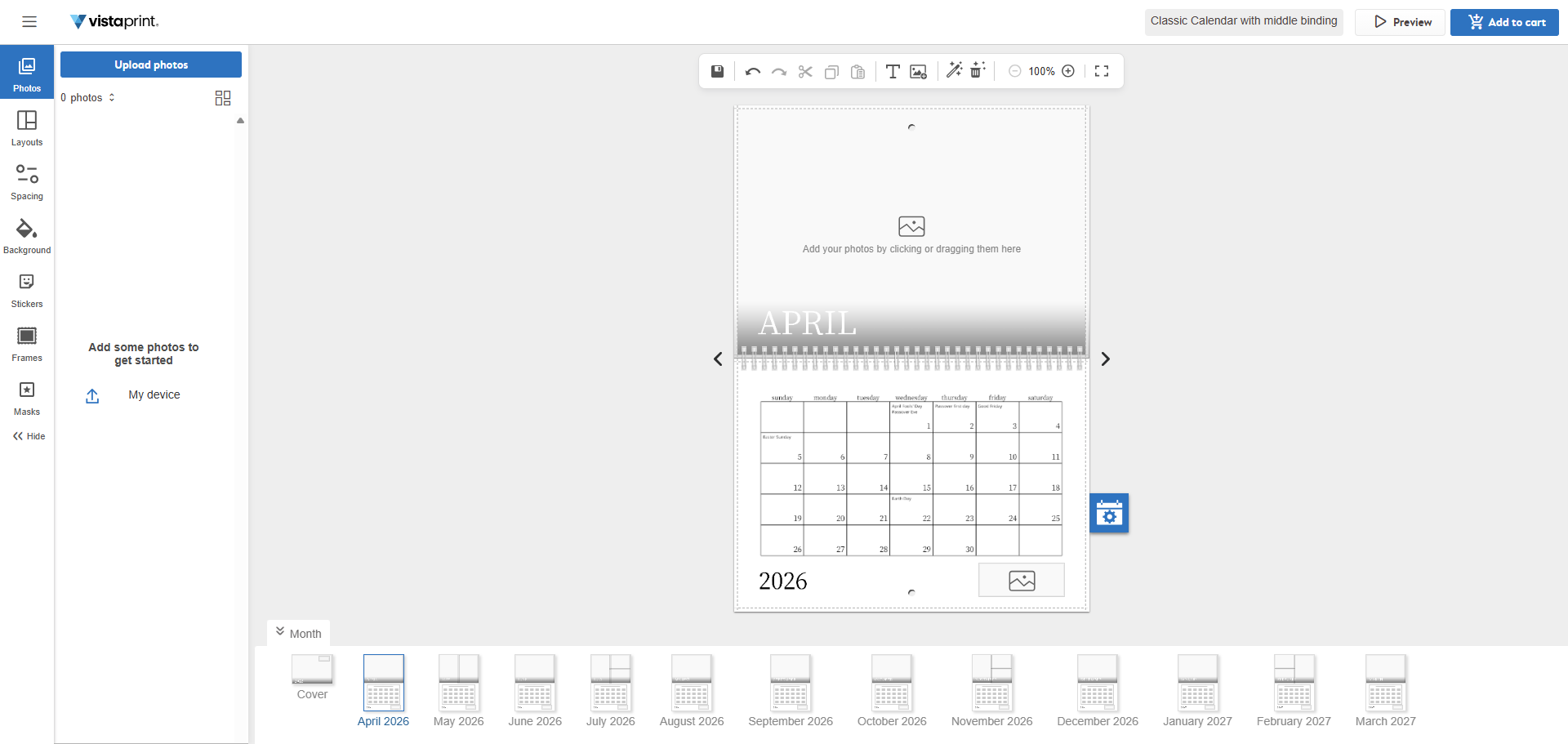
The VistaPrint editor displays a 2026 calendar updated to begin in April.

Was this article helpful?
Learn how we use your feedback

Connect live with Customer Support

Need help?

Contact Us