

What is a merchandise credit?
A merchandise credit is a balance kept on your account that works like a gift card or store credit. If you have one available, you can use it to pay for all or part of a future order.
How to check if you merchandise credit is applied
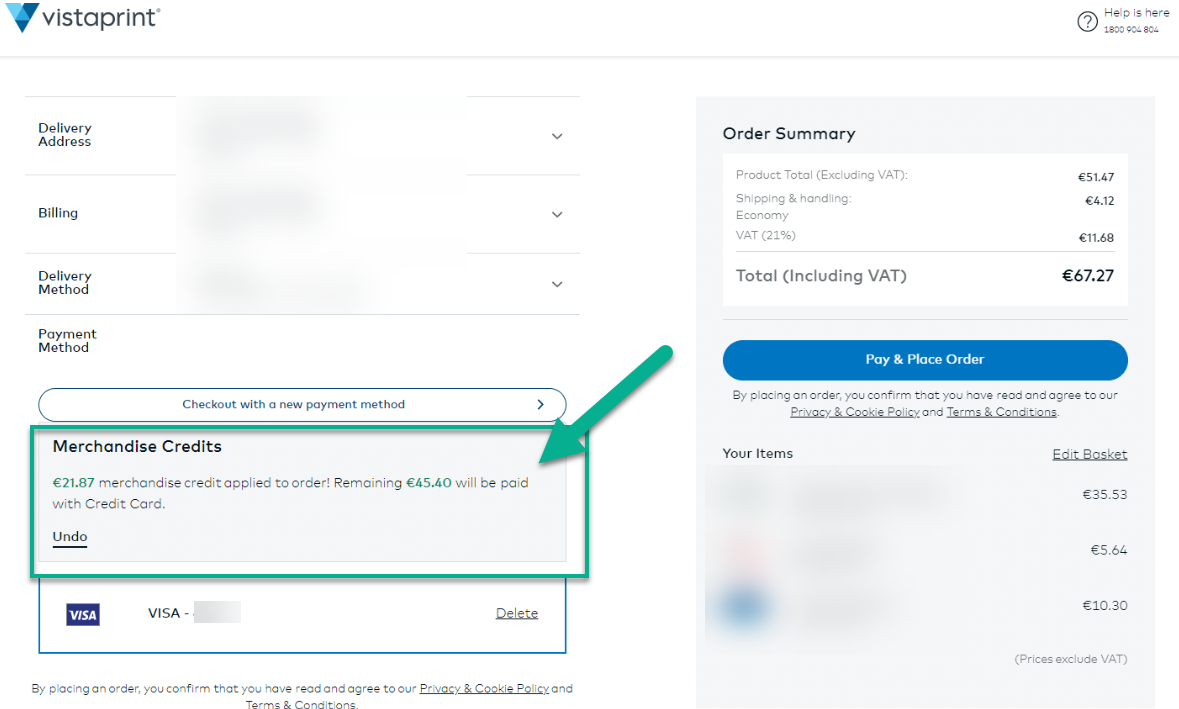
You don’t have to do anything extra to use your credit. During checkout, your credit will be applied automatically.
You can check in the payment method if a credit was applied:
How to place an order without using your merchandise credit
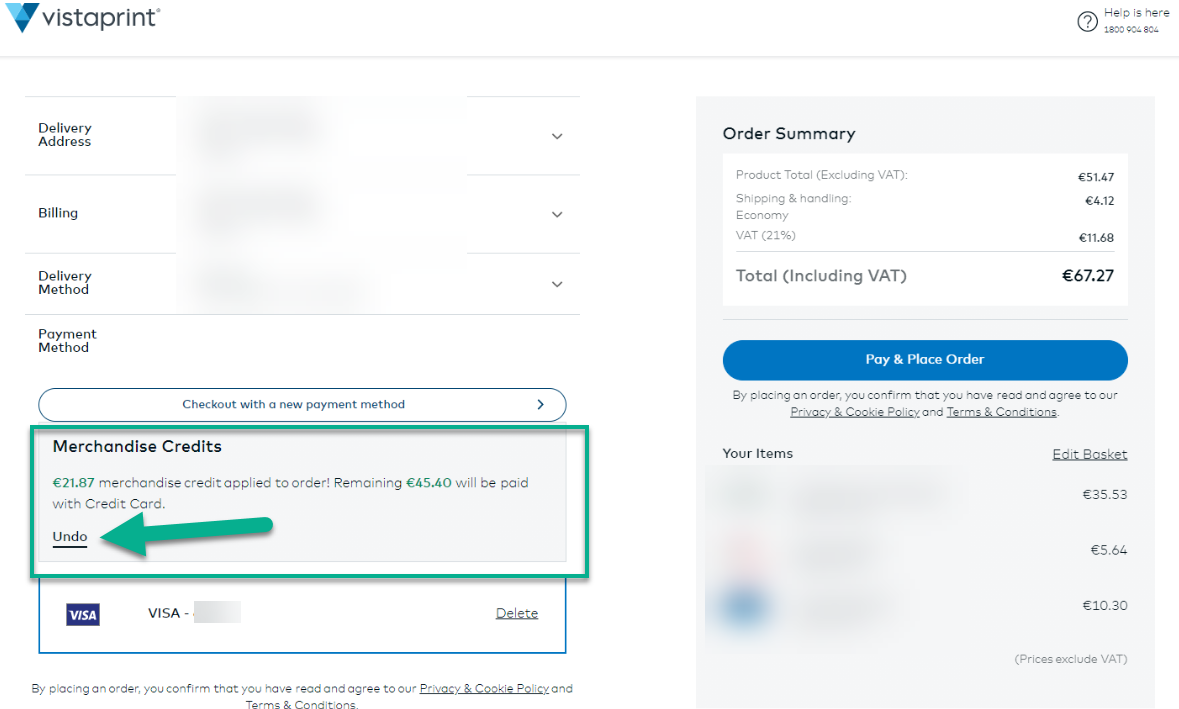
If you want to save your credit for a future purchase, you can remove it from your current order.
To do so, simply de-select the credit from your order. It will then be saved in your account for future use:
Merchandise credits can only be combined with credit card and PayPal payments.

